Features and Commands
Room_Allocator is designed as an easy to use program with multiple features accessible via a simple command line interface. The functionality of each feature is initiated by typing out a command with it’s necessary arguments; and the rest is handled internally.
Creating Rooms
This is perhaps the first feature one would use! It is implemented using the create_room command. Usage information is available by typing:
help create_room
as shown below:

The room_type argument can either be ‘living’ for living spaces or ‘office’ for an office space.
The room_name is as it says is the room’s name!
Note
The inputs are case insensitive..
Hitting enter will create the desired room as shown below:

Warning
The program rejects duplicate room names of the same type..
- Other features include:
- Persons with unallocated office space can be reallocated when new office is created.
- Fellows with unallocated living space can be reallocated when new living space is created.
Adding Persons
This feature allows the user to add persons fellows or staff to the system. It is implemented using the add_person command. Usage information is available by typing:
help add_person
as shown below:

The first_name and last_name arguments are the person’s first and last names respectively.
The Fellow_or_Staff argument defines wehther the person being added is a fellow or staff. This determines whether or not the person can be assigned a living space.
The wants_accommodation argument is for fellows to choose whether they want a living space or not. The default is ‘no’.
Note
The inputs are also case insensitive..
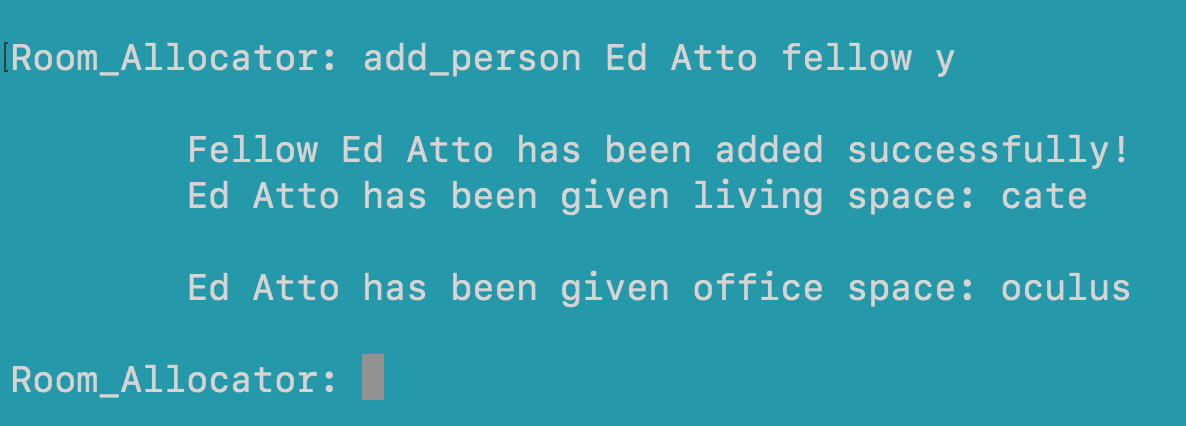
If the usage is adhered to, hitting enter will add the person as shown below:
- Other features include:
- People with the same names can not conflict.
- Fellow will be unallocated if he wants a living room and non is available.
- Fellow or Staff will be unallocated if an office is unavailable.
Printing Room Occupants
This feature is implemented using the print_room command. Usage information is available by typing:
help print_room
as shown below:

The room_name argument corresponds to the room whose occupants are to be printed.
Note
The input is case insensitive..
Hitting enter will print the desired room’s occupants as shown below:

Printing Room Allocations
This feature is implemented using the print_allocations command. Usage information is available by typing:
help print_allocations
as shown below:
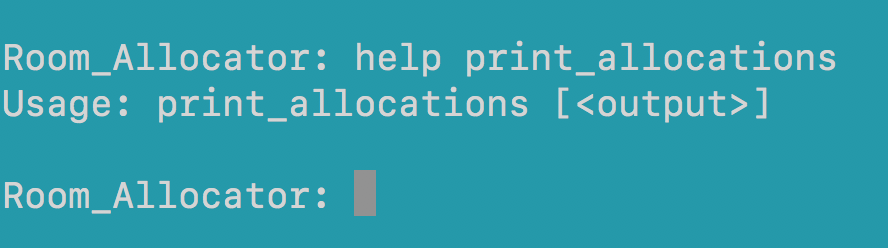
The output argument corresponds to the name of the .txt file to which the room allocations can be printed if the user desires.
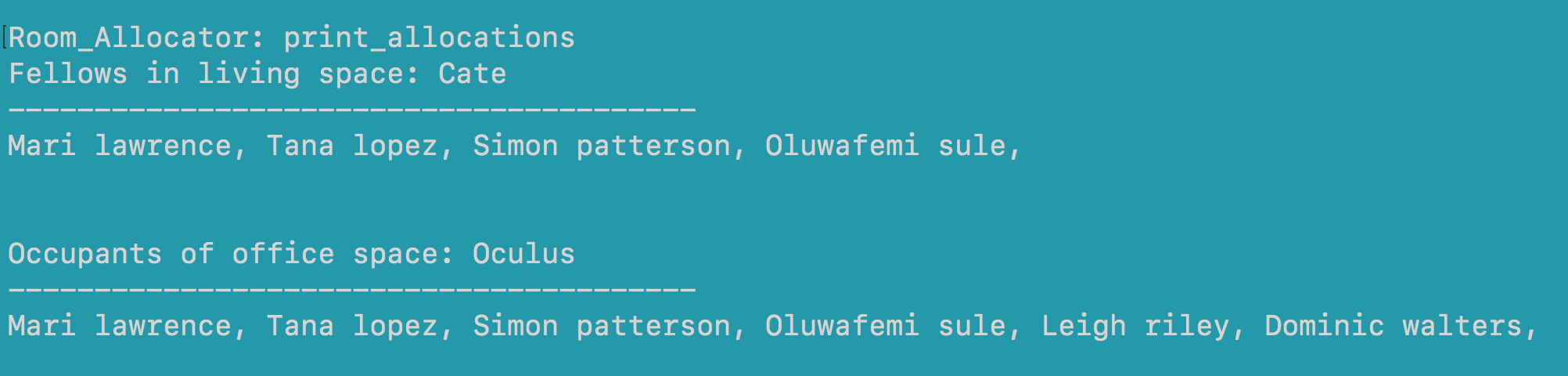
Hitting enter will print the allocations for all the rooms in the system as shown below:
Printing UnAllocated
When either a living space or office is unavailable, persons who are added remain unassigned rooms and thus this feature allows the user to view the persons who are unallocated living spaces (for fellows) and office spaces (both staff and fellows). This feature is accessed by using the print_unallocated command. Usage information can be obtain via:
help print_unallocated
as shown below:
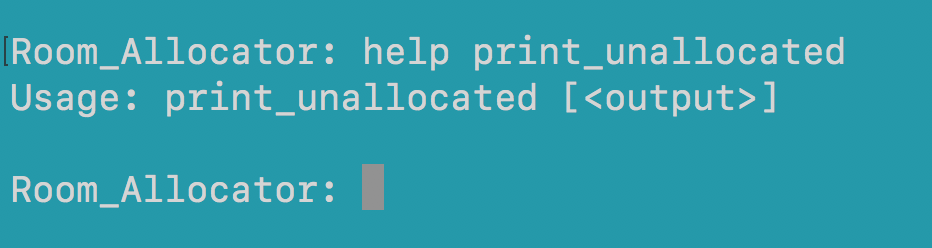
The output argument corresponds to the name of the .txt file to which the information can be printed if the user desires.
Hitting enter will print all unallocated persons in the system as shown below:

Reallocating Person
This feature allows a user to reallocate a person from one room to another using the person’s id. This is achieved using the reallocate_person command. Usage information can be obtain via:
help reallocate_person
as shown below:

The person_identifier argument corresponds to the person who is to be relocated.
The new_room_name argument corresponds to the room to which he is to be relocated
Warning
A person can only be moved from one office to another or from one living space to another! Only if it has space..
Warning
Staff cannot be relocated to living spaces..
Hitting enter will relocate the person to the desired room as shown below:

Loading People
This feature allows a user to load a text file and add all the people in it at once. This is achieved using the load_people command. Usage information can be obtain via:
help load_people
as shown below:

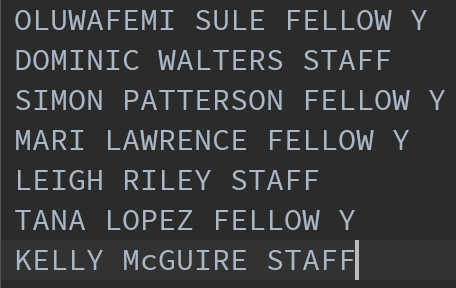
The load_file argument specifies the name of the file from which to load people.
Sample file:
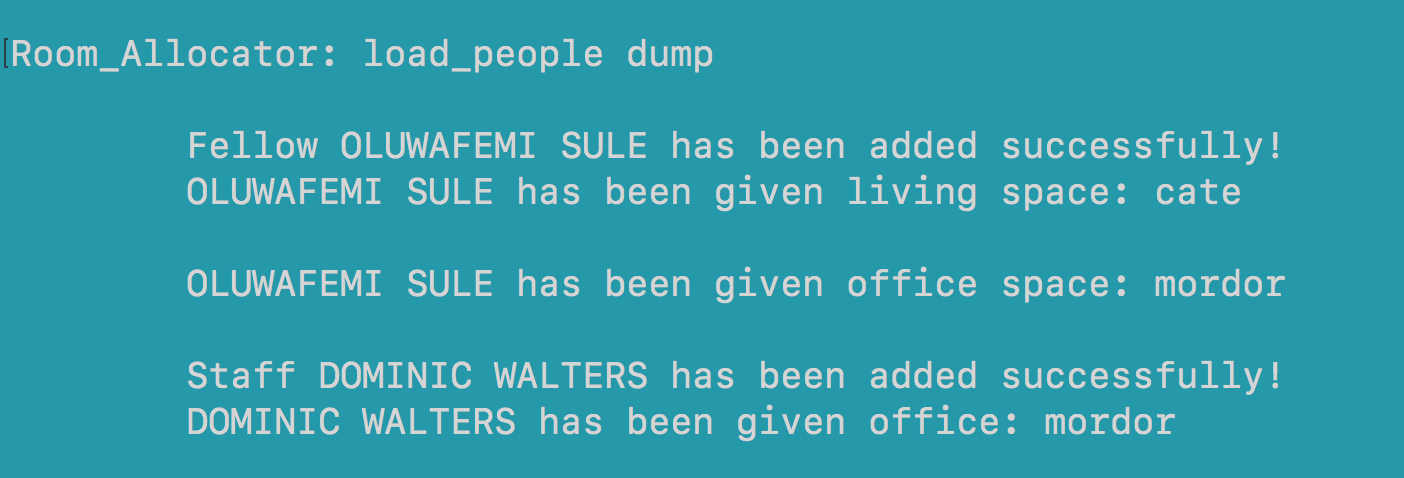
Hitting enter will add all the persons as shown:
Saving an Interactive Session
This feature allows a user save their current interaction with the program to be retrieved at a later time. This is achieved using the save_state command. Usage information can be obtain via:
help save_state
as shown below:
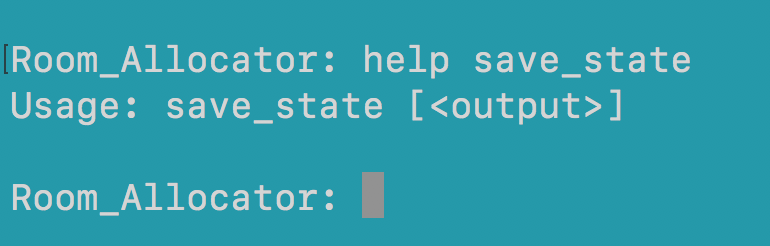
The output argument specifies the name of the current session.
Warning
Specifying an existent name will cause that session to be overwritten..
Loading an Interactive Session
This feature allows a user to reload their previously saved interaction with the program. This is achieved using the load_state_state command. Usage information can be obtain via:
help save_state
as shown below:
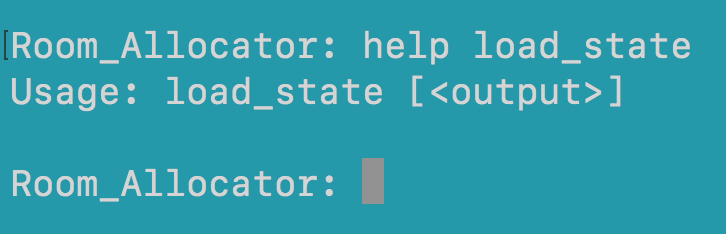
The output argument specifies the name of the session to be retrieved.